
Hi friends, in this tutorial, you will learn how to perform crud operations in MongoDB compass commands with examples. So, to perform the create, read, update, and delete operations, you must know about SQL, MongoDB the difference between SQL and MongoDB, and why MongoDB, etc. Let us start a brief discussion as given below.
Table of Contents for Crud Operations in MongoDB Compass Commands:-
| SL | Description |
| 1 | What is SQL |
| 2 | Establish the connection to the MongoDB database |
| 3 | What is MongoDB |
| 4 | Why MongoDB |
| 5 | Establish the connection to the MongoDB database |
| 6 | Display existing databases in MongoDB using compass commands |
| 7 | Display all the collections of a database using compass commands |
| 8 | Inserting / Creating data in the collections using compass commands |
| 9 | Viewing the inserted data of a collection using compass commands |
| 10 | Updating data of a collection using compass commands |
| 11 | Deleting data of a collection using compass commands |
- SQL is a structured query language by which we can perform various operations such as inserting data in the table of a database, fetching the data from a table in the database, updating data in the table of a database, and deleting data from a particular table using conditions.
- SQL stores data in the form of rows and columns in the table.
What is Mongodb:-
MongoDB is a tool and known as document type database which stores table data in the form of collections.
Collections holds the data values or field values in the form of objects almost like json data.
Why MongoDB:-
- Mongodb is faster than SQL and it allows us to enter the additional fields automatically as much as we can without manual intervention.
- But in the case of SQL, we have to create additional fields manually if needed.
Establish the connection to the MongoDB database
- First of all download and install the MongoDB compass tool.
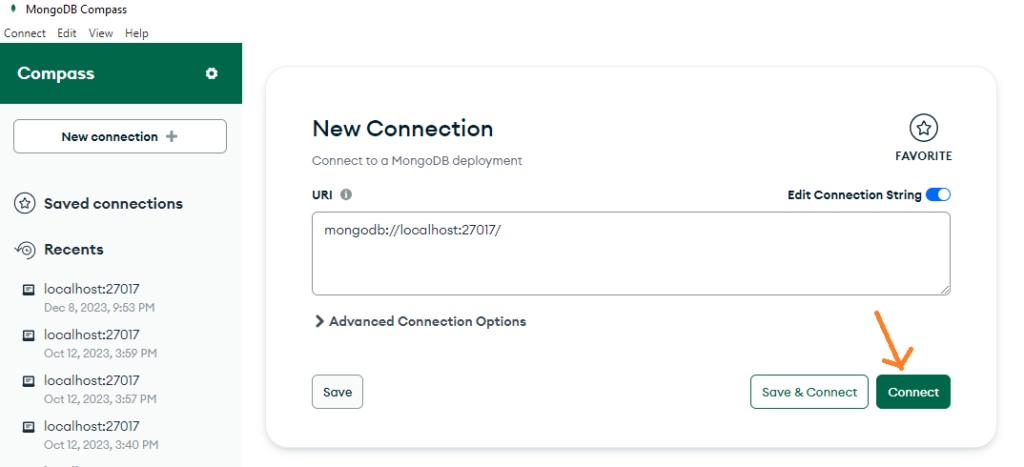
- Now, open the compass tool and click on connect to make a new connection to MongoDB. It will connect the preconfigured databases.
Display existing databases in MongoDB using compass commands
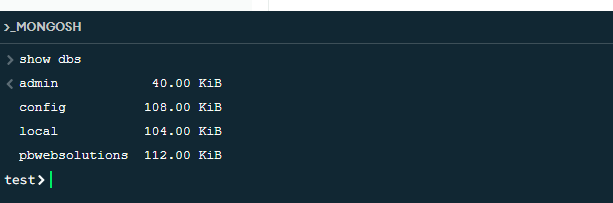
- Now, click on MONGOSH shown at the bottom of the compass tool and it will open the command terminal.
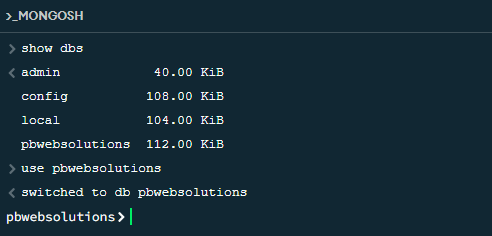
- Now you can run the below command to display all the existing databases.
Creating databases and collections in the MongoDB compass tool
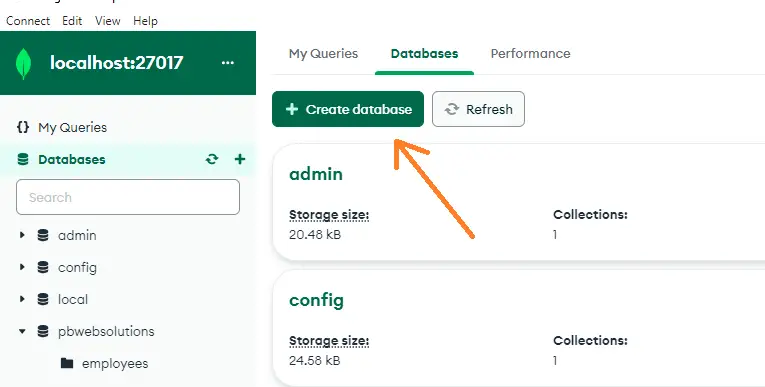
- To create the databases in MongoDB compass tool, you can click on the Create Database button as shown below.
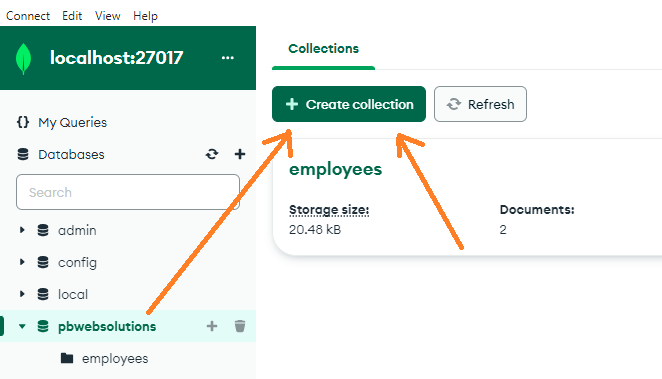
- To create collections in the compass tool, click on Create Collection button as shown below
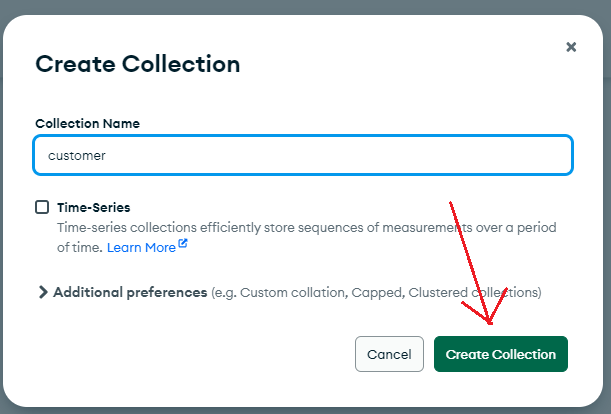
- Now, you can enter the collection name as shown below.
Display all the collections of a database using compass commands
Now, to display all the collections of a particular database, you can run db.getCollectionNames() as shown below.

Inserting / Creating data in the collections using compass commands and tool
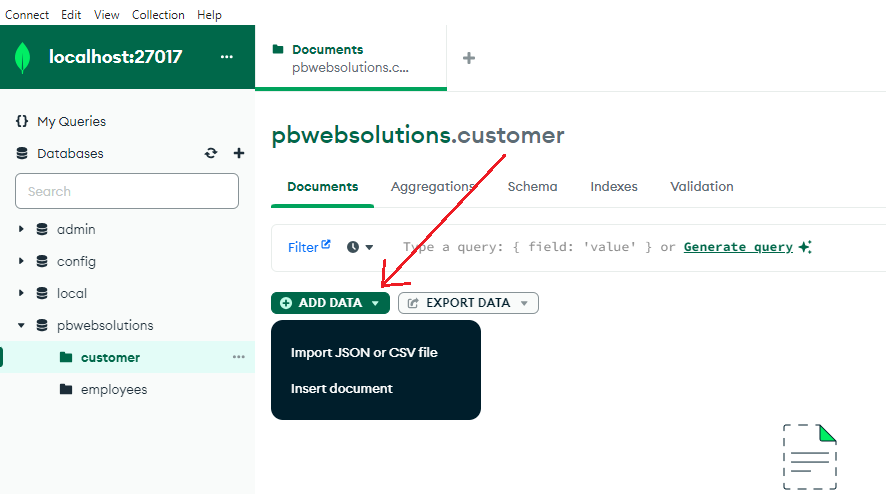
In this case, we can insert data in two ways.
- By manually inserting data in the tool by choosing the ADD DATA option as shown in the below image.
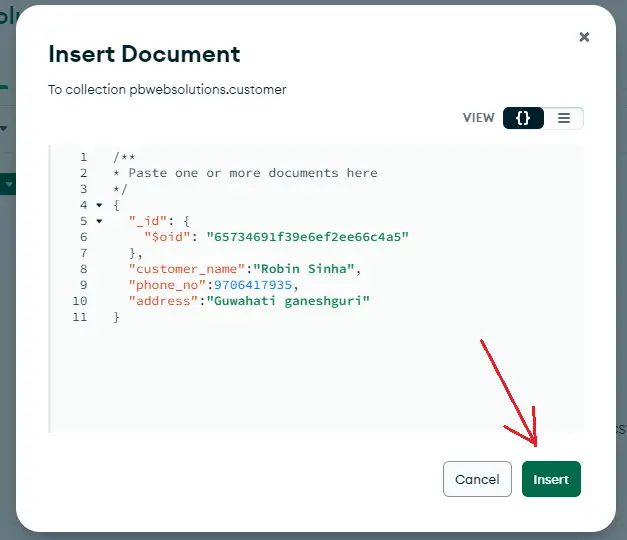
Now, add the data in the collection objects and click on insert button as shown below
- Now, we can also insert data using the terminal using the db.collectionName.insertOne(). This method will insert only a single row data at a time as shown below
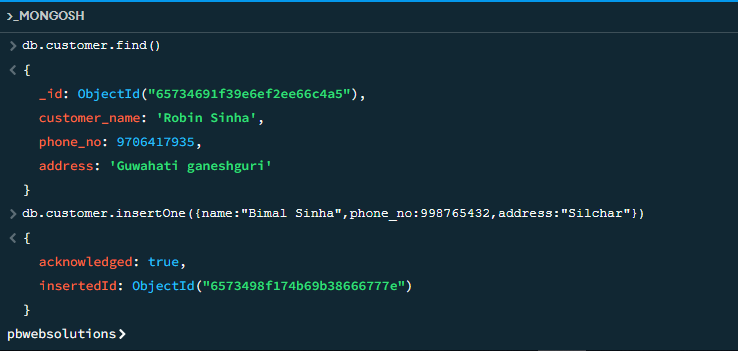
Put the data inside the curly braces {} separated by when using the insertOne() function.
Viewing the inserted data of a collection using compass commands
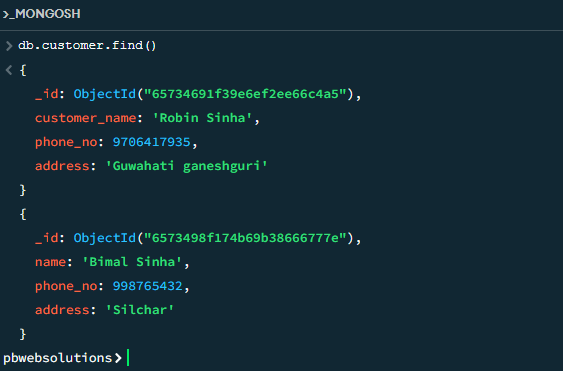
Now, if you want to view the inserted data then you can do so with the help of db.collection.find() as shown below.
Updating data of a collection using compass commands
Now, it is time to update or modify the inserted data. In order to do so, you can use the db.collection.updateOne() method as shown in the below image
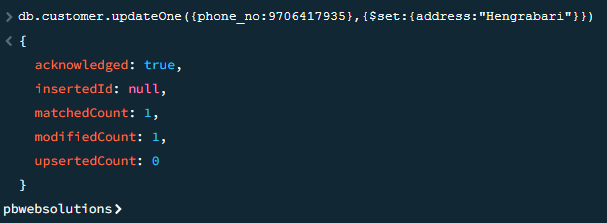
Put two curly braces {} seperated by : when using updateOne() function. The first curly brace includes the conditional field by which the data should be updated and the second curly brace will include the $set variable which holds the new data to be replaced.
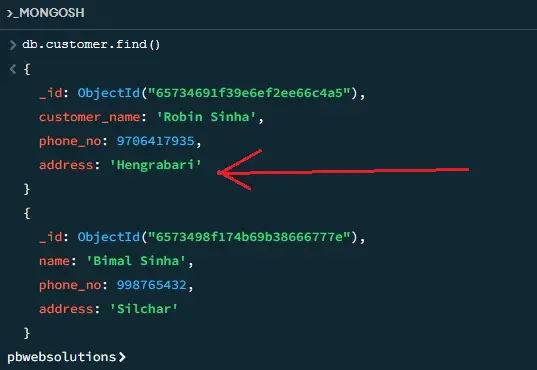
After executing the above command, you can again check the data using db.collection.find() and you will see that the data has been updated as given below.
Deleting data of a collection using compass commands
- In this case, you can delete data manually using the compass tool but I will show you how to delete the inserted data using the compass command line as given in the below image
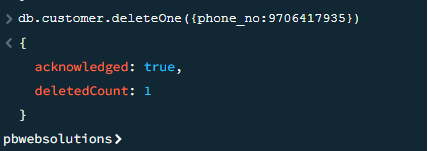
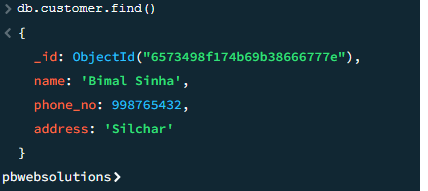
- Now, after executing the above delete command based on the condition, the data has been successfully deleted from the collection array and you will see the updated collection as given in the below image.
Also read, How to use forEach loop in Node JS template engine
Conclusion:- I hope this tutorial will help you to understand the concept of crud operations in MongoDB. If there is any doubt then please leave a command below.